Español (España)
  Deutsch (Deutschland)
  Français
  Italiano







🏷️ Optimization of the Siemens Product Catalog: Simplifying Search
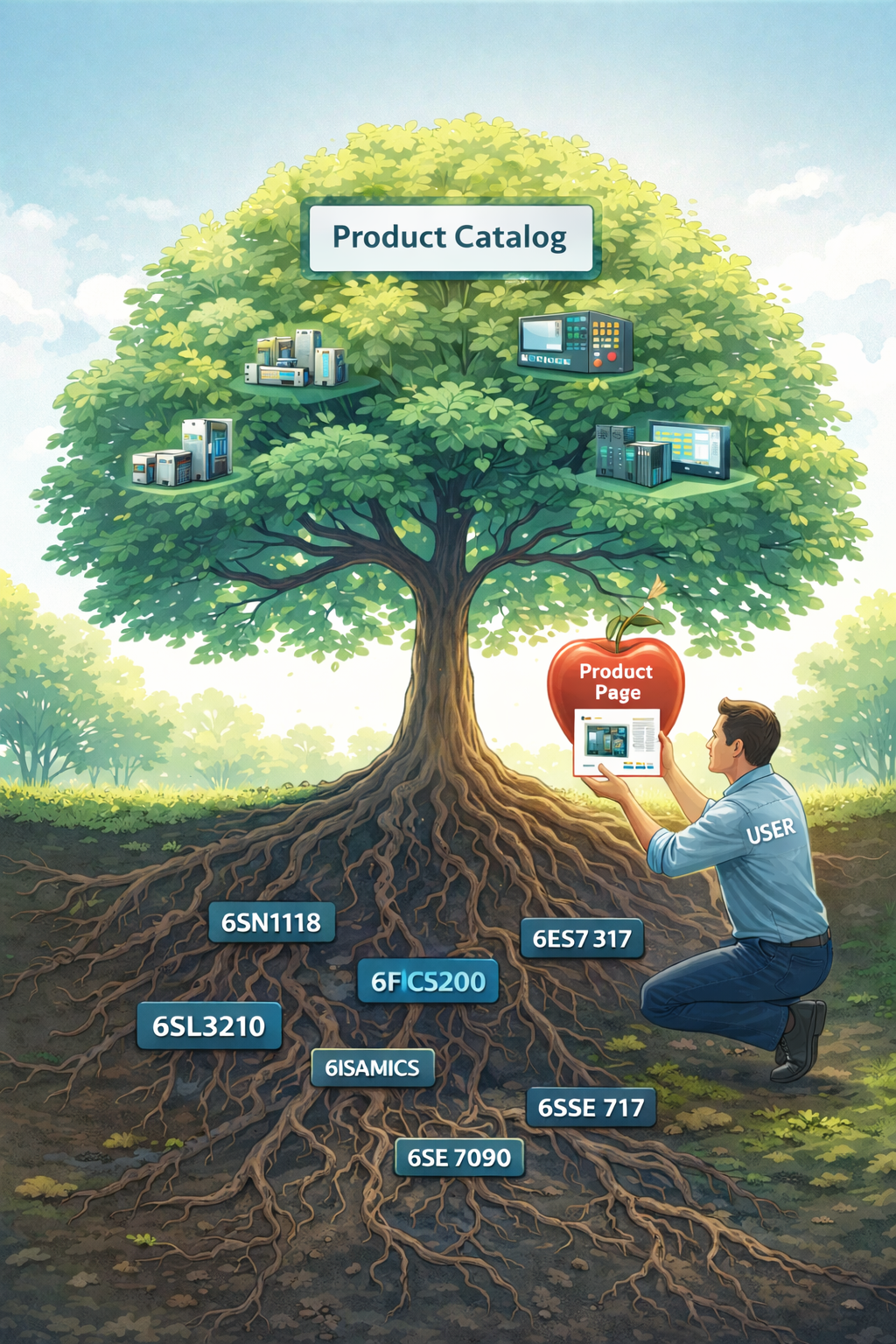
The starting point for optimizing the search experience was the👉 Siemens product catalog. The catalog has been organized according to different product families such as SIMODRIVE, SINUMERIK, SIMATIC, and SINAMICS etc. The division into families allows users to easily navigate within the most relevant categories, without feeling overwhelmed by the vastness of the catalog.
But the catalog's structure goes beyond simply organizing products into families. To further improve the search, a functional system has been created that leverages the power of the internal search engine to scale from the product catalog, family, root, down to the product code (MLFB). For example, a user searching for a solution for a "SIMODRIVE" can type in the family, root, or a specific product code to directly access the desired result.
🌳 Search by PRODUCT ROOT (functional pages)
If you know the root of a product, you can find it directly via the structured link. For example, you can use a simple URL format like:
👉 Example product root page link for Siemens Simodrive 611 6SN1118
Since our product root catalog is very large, each link works the same way, allowing you to easily explore the product you're looking for.
NB: For technical reasons related to the creation of functional pages within the site, which allow for quick code search and more effective management, we have structured the root pages with the use of the functional parameter ?Q=.
🔎 Search by Siemens Product Code (MLFB)
If you know the product code, you can search for it by typing it into the specially created search bar on the site, or by following this URL structure for the product page:
👉 Example product page link Siemens Simodrive 611 6SN1118 6sn1118-0aa11-0aa0
NB: Product pages have semantic value and are structured to provide technical information and services offered by E-Repair for the product on the page. 👉 read the guide to understanding the Siemens product page
🧩 Informational and root-specific articles: even more precise navigation
While the catalog and family pages already provide an optimal starting point for user knowledge and information search, we are progressively creating specific informational articles that will gather products belonging to three related roots per article. These semantic articles, in addition to providing complete product descriptions, contain links and supplementary information, such as installation guides, technical features, and applications.
The idea behind this strategy is to group products into "root families" that can meet specific industrial knowledge needs. Thanks to these articles, product search is further simplified, and it becomes even easier for users to understand how the various components interconnect and how they can be used together.
For example, for the SIEMENS SIMODRIVE 611 6SN1118 root:
👉 Siemens SIMODRIVE 611 Guide Control Modules 6SN1118 6SN1117 6SN1115
👉 Siemens SIMODRIVE 611 Control Unit 6SN1118-0AA 6SN1118-0AB 6SN1118-0AD 6SN1118-0AE
👉 Siemens SIMODRIVE 611 Closed Loop 6SN1118-0BK 6SN1118-0BJ Axis Control with Resolver
👉 Siemens SIMODRIVE 611 Digital Drive 6SN1118-0D
👉 Siemens SIMODRIVE 611 Modules 6SN1118-0N 6SN1118-1N
✅ Conclusion
The semantic structure of the E-Repair site, with its well-defined product families, functional pages, and specific root articles, represents an advanced approach to optimize the user experience and improve SEO indexing. Thanks to this organization, the search for Siemens products has become not only easier and faster but also more targeted, allowing users to quickly find the solutions best suited to their needs.
In the future, we will continue to implement new articles and solutions to further improve site navigation and make product search even more precise.
🟢 Technical pillar-page article supporting the understanding of the site architecture